iOS TestFlight Beta · Free during beta

Stop Guessing.
Start Planning.

WATT-IF turns your location scout into a lighting flight simulator. Build the plan, get director buy-in, and hand the gaffer a printable blueprint before the trucks even arrive.

Beta. Processing time and output quality vary. Verify exposure and electrical decisions with professional tools and qualified crew.

Get the iOS Beta How It Works
~15–25 min
Processing Target (varies)
Estimates
Physics-Informed Lighting
iOS Beta
LiDAR iPhone Pro+

The Gaffer's Blueprint

Don't tell them what you want. Hand them the blueprint.

A mood board is a suggestion. A WATT-IF Set Plan is a directive. Hand your electric department a mathematically sound rigging plan based on the actual physics of the location. The crew rigs faster, the director sees the vision immediately, and you spend your time tweaking the performance, not waiting on a C-stand.
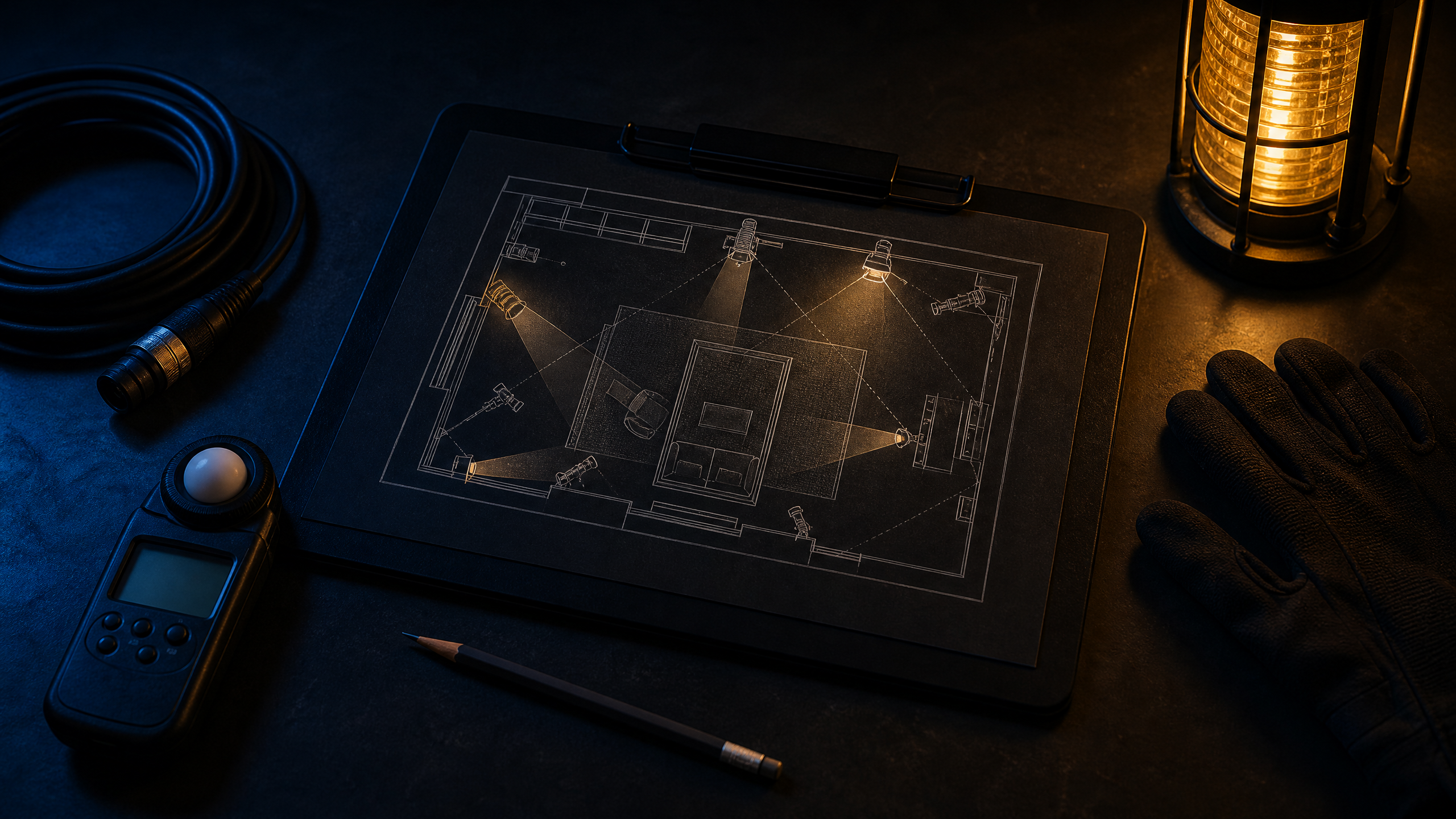
WATT-IF Set Plan PDF export: cover page with top-down lighting diagram, gear table, and power budget

How It Works

The cost of not using WATT-IF is measured in hours.

Every hour your crew spends experimenting with lights on set costs you money. WATT-IF moves the experimentation to pre-production. Scan the location, drop in the fixtures, and walk on set with a plan you already trust.

01 / Capture
Capture the location
Walk through the space with a LiDAR-equipped iPhone. Three loops: eye-level, downward-tilted, upward-tilted.
iPhone 12 Pro+ · LiDAR
02 / Build
Build the spatial reconstruction
Cloud processing produces a photo-textured mesh and aligned static splat.
Cloud processing · 15-25 min
03 / Light
Test virtual fixtures and estimated light
Drop cinema fixtures into your reconstruction. Review estimated lux, ratios, and exposure values.
Physics-informed estimates
04 / Export
Export the plan for the crew
Generate a Set Plan PDF, Recipe PNG, Gear CSV, or Digital Twin JSON. Hand the gaffer a document they can rig from.
PDF · PNG · CSV · JSON
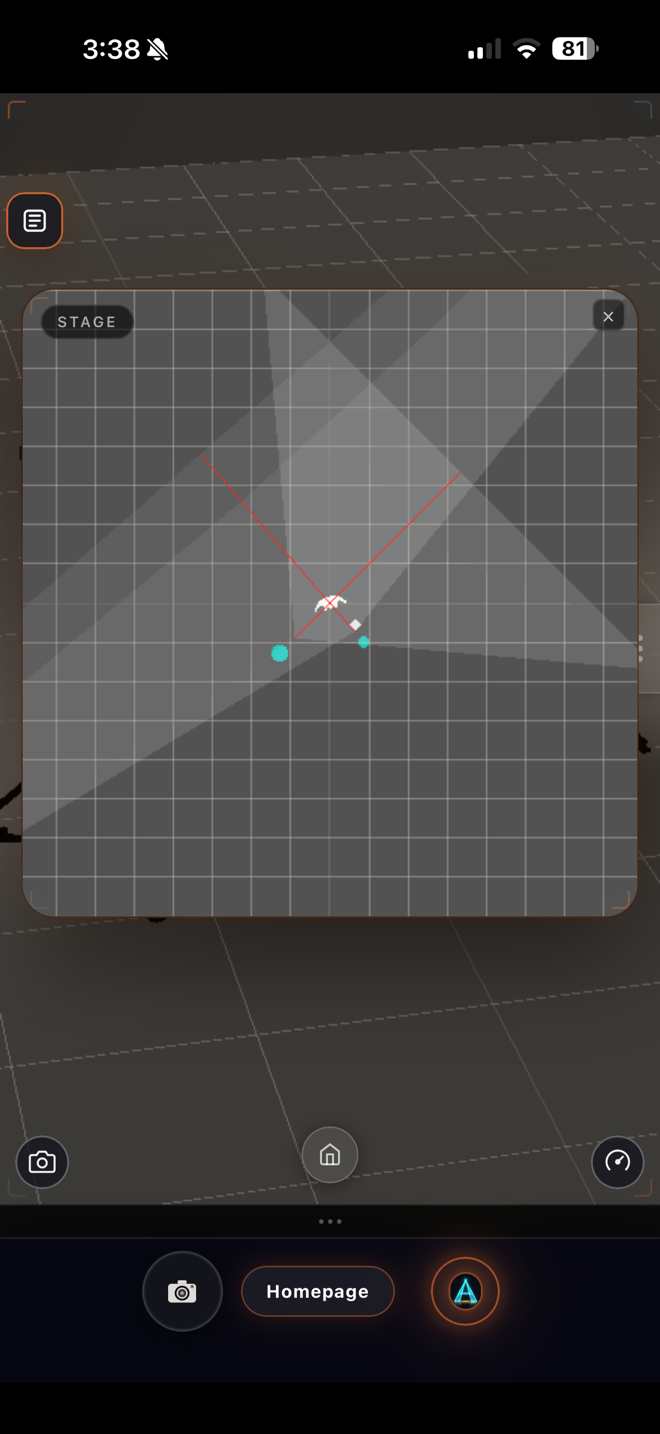
WATT-IF top-down view showing fixture placement and light cones
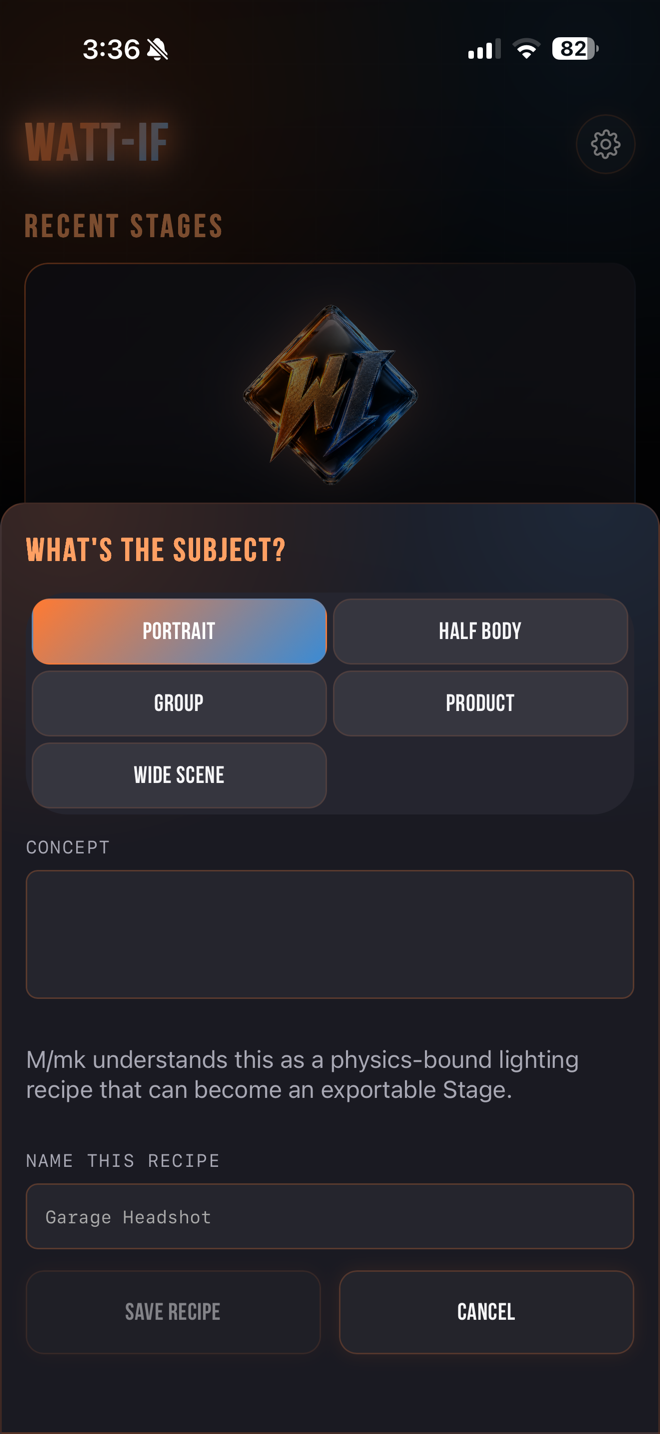
WATT-IF recipe saving interface for a Garage Headshot

The Stage · Fixture Planning Surface

Drop a fixture. Review estimated values. Plan your setup.

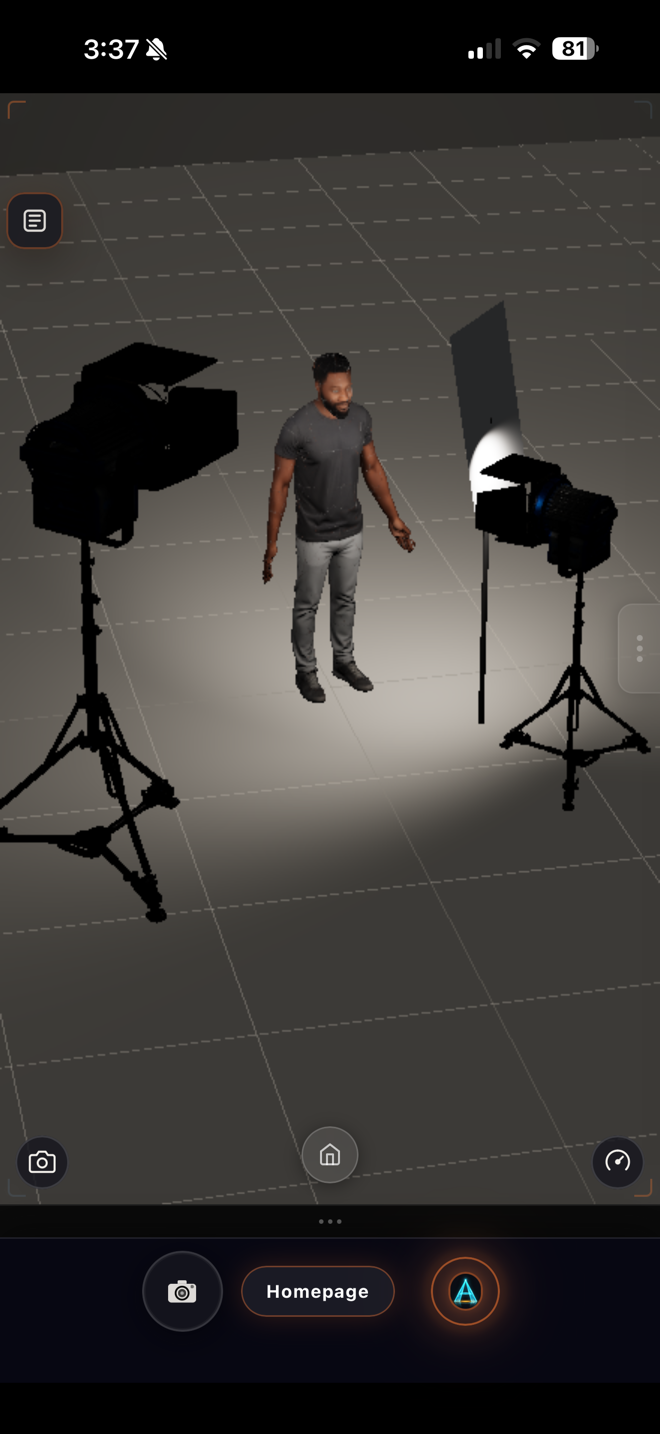
The Stage lets you place virtual cinema fixtures on your reconstruction and review estimated illuminance values.

Fixture-led planning

Build a virtual lighting setup with supported fixture types, modifiers, placement, and color controls. Treat manufacturer references as planning inputs, then verify the final plan on set.

Estimated light values

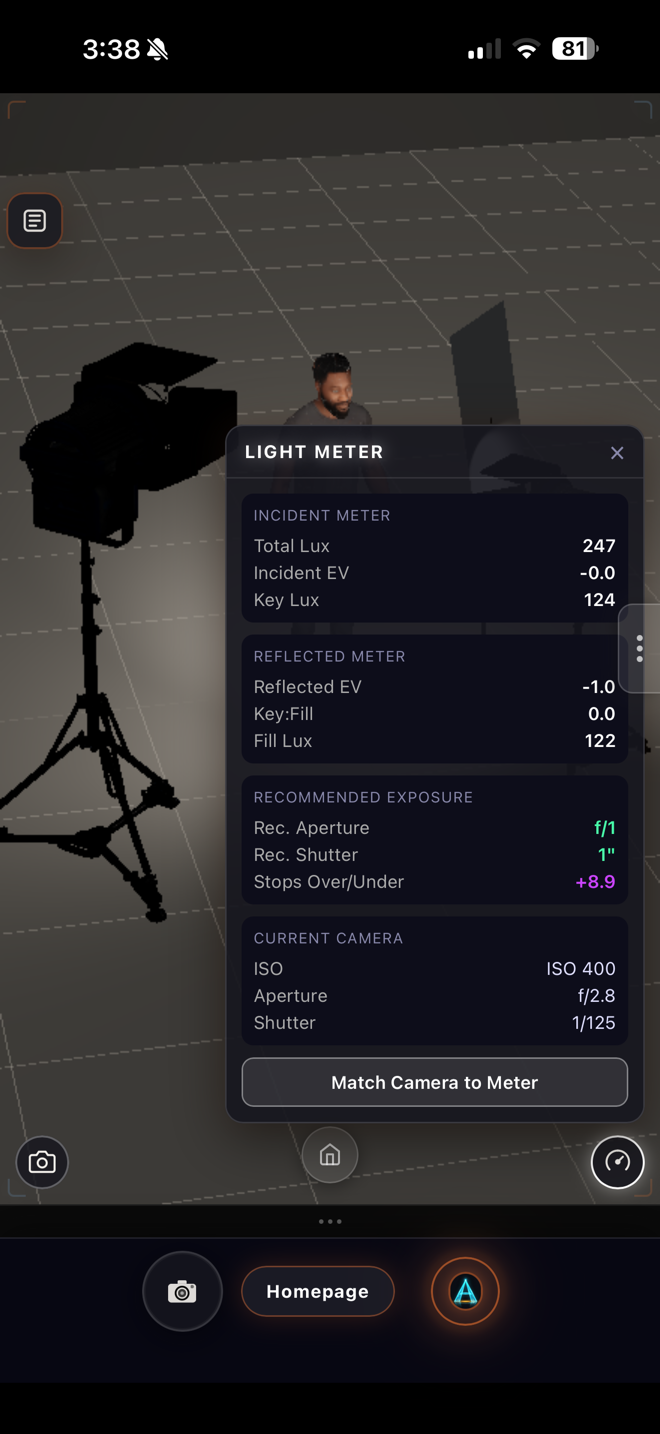
Review subject illuminance, key/fill relationship, exposure guidance, and power planning values as physics-informed estimates.

Lighting presets

Start with classic portrait patterns such as Rembrandt, Butterfly, Split, Loop, or High Key, then revise the supported fixture setup for the room in front of you.

Recipes — save the intent

Save a lighting setup with its fixtures, camera, and subject context, then revisit the plan when you need to explore a related setup.

WATT-IF Stage Editor showing a virtual fixture illuminating a subject

The Math

Stop Burning $500 an Hour on Set.

A 90-minute lighting overrun on a 12-person day costs roughly $750 in burned crew time. WATT-IF costs $19/month. Prevent one overrun a year and it paid for itself three times over.


The Cine Camera & Light Meter

Pre-light through the lens. Verify the physics.

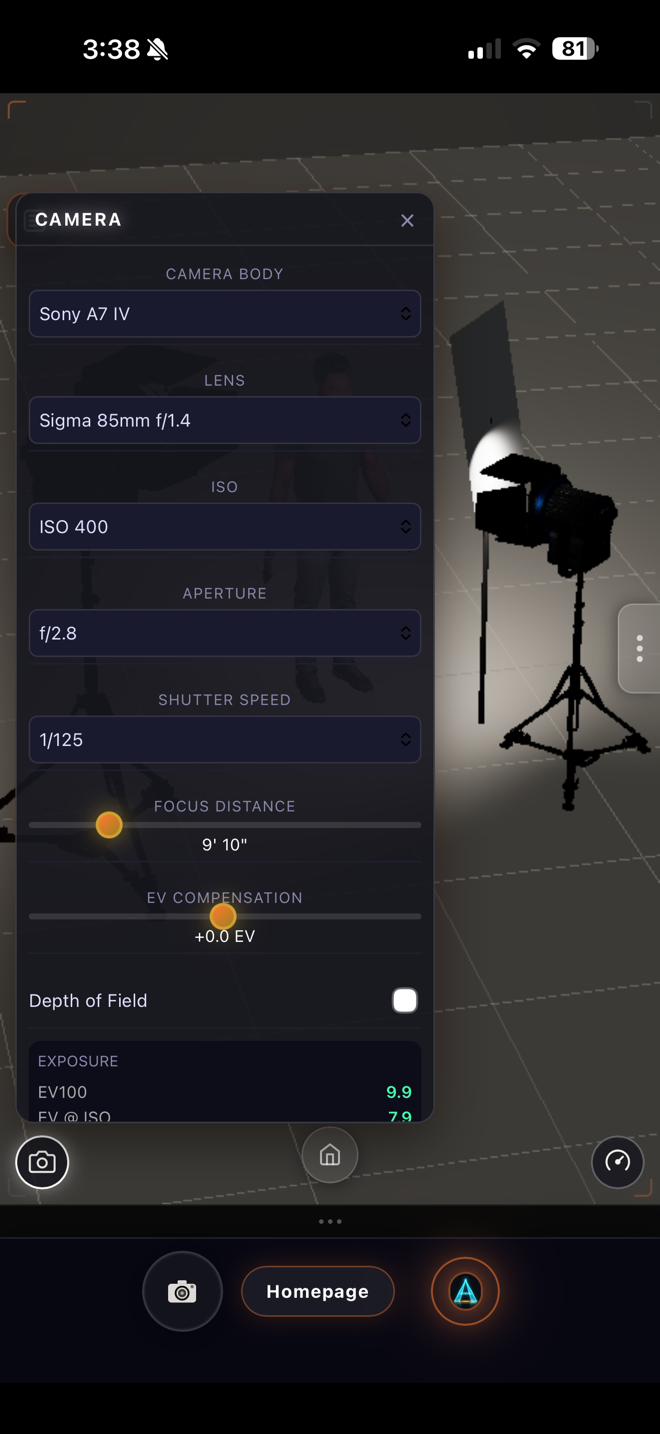
Explore body, lens, aperture, shutter, ISO, and focus-distance settings. Then check the estimated lux and contrast ratios using the built-in light meter.

WATT-IF camera controls showing Sony A7 IV and Sigma 85mm settings
WATT-IF light meter showing incident and reflected EV and lux values

M/mk AI · Text Lighting Assistant

Ask M/mk in text. Get a lighting critique you can act on.

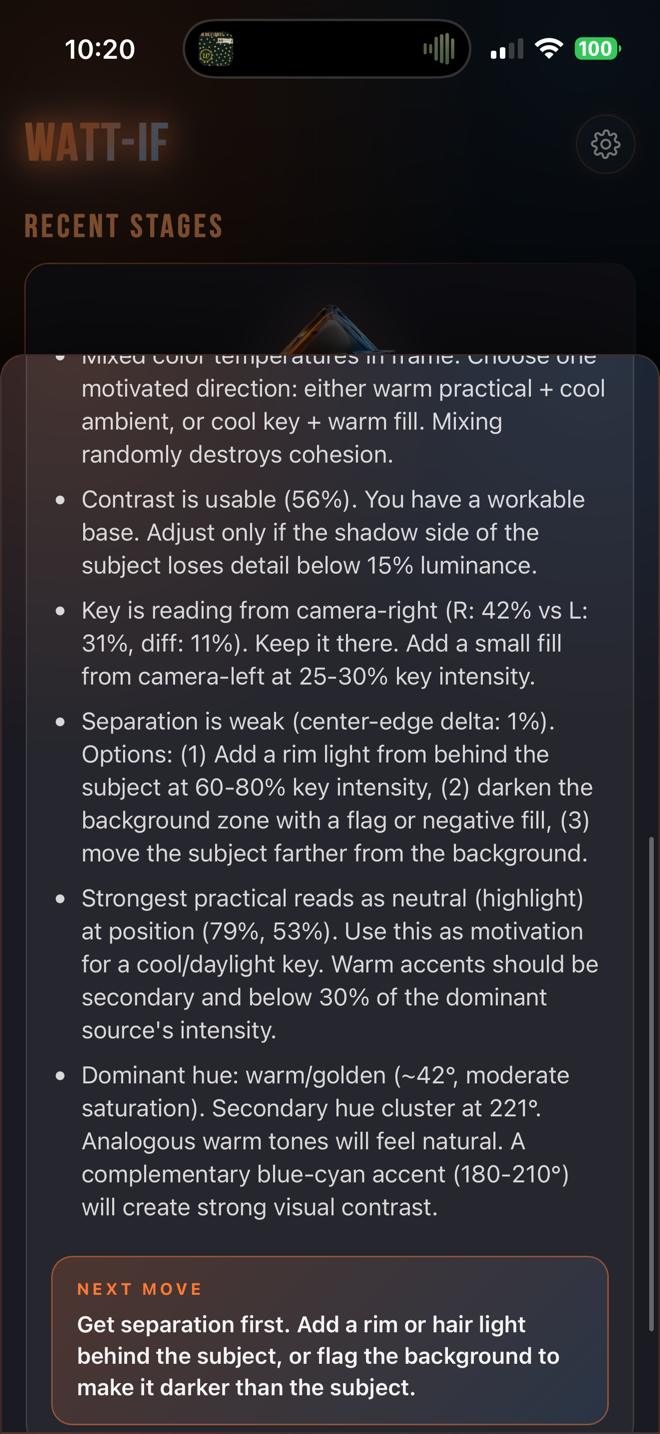
M/mk reviews the current Stage, explains lighting choices, and can assist with supported recipe and setup actions through typed requests and tap-based actions.

M/mk assistant providing detailed lighting critique on contrast, key placement, and separation

Text/tap interaction

Type a question or tap a supported action to work with the current Stage or save a recipe.

Local still-image critique

The current shell's still-image critique is local and deterministic. Your taste/style state is also local.

Cloud text reasoning

Text requests can use cloud reasoning for supported analysis and setup assistance. Treat outputs as creative guidance, not production approval.

Recipe and setup actions

Use supported actions to capture a recipe or explore a lighting plan, then confirm the final setup with crew and physical tools.

Lighting Reference Vocabulary

Use references to start the conversation, not replace the craft.

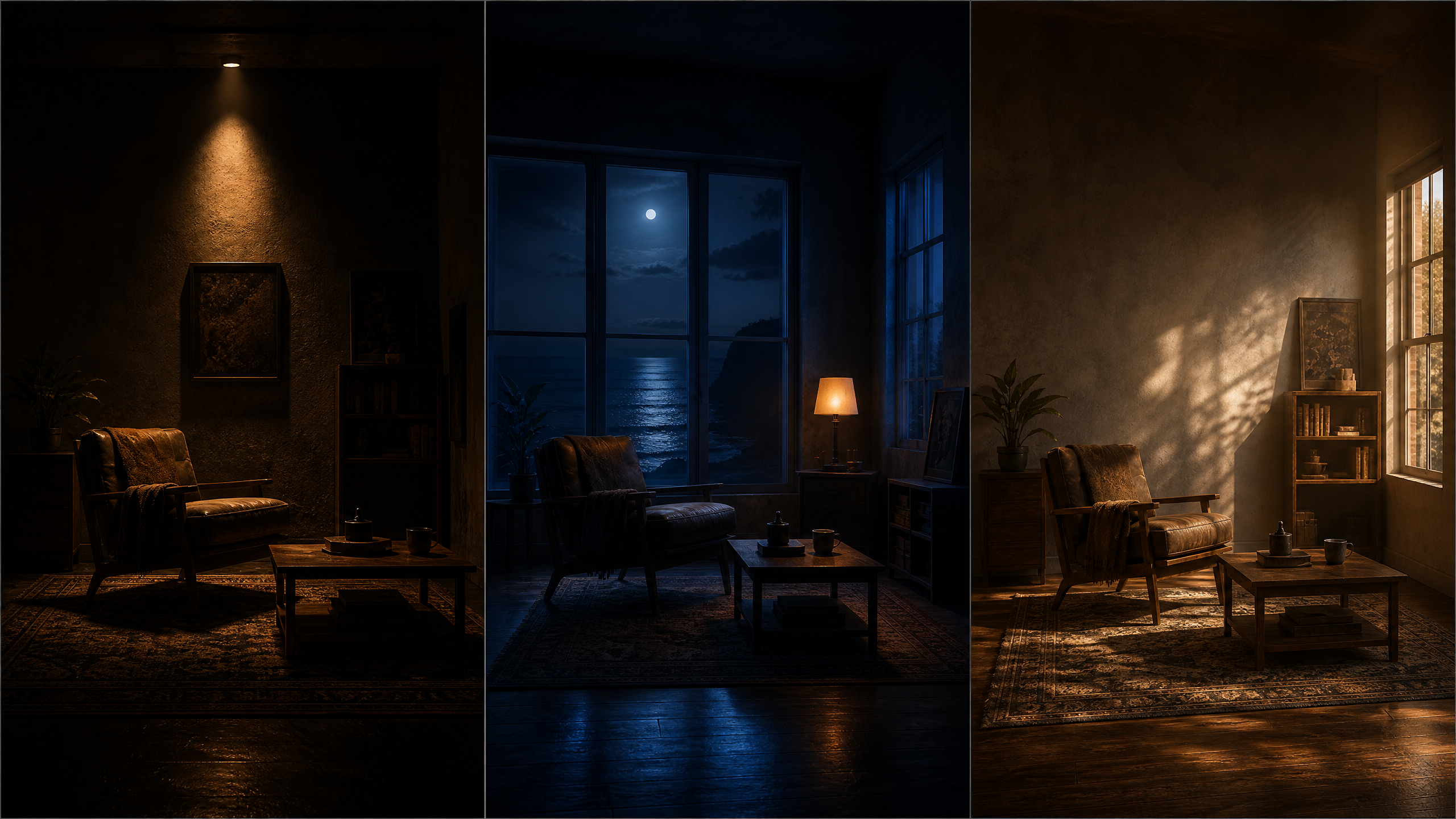
M/mk can discuss visual references and lighting vocabulary in text. These are interpretive learning cues, not affiliations, endorsements, or exact reproduction instructions.

Hard Overhead
The Interrogation
Single Fresnel overhead at 80° down, warm CTO gel. Eyes go dark. Oppressive, clinical. 10:1 key-to-fill ratio.
Top-Down Shadow
The Office
Overhead key at 80° tilt, warm CTO. Eyes in deep shadow. Classic high-contrast signature. 8:1 ratio.
Mixed Color Temp
The Beach
Cool blue key (8000 K, CTB) from camera-right. Warm accent from camera-left. Skin glows against blue shadows.
Natural Backlight
The Forest
Warm backlight (CTO) from directly behind. Cool skylight fill from camera-left. No front key. Golden rim.
Dreamy Soft Light
The Apartment
Giant soft key from camera-right, 4000 K, half-CTO. Matching soft fill from camera-left. Dreamy overexposure.
Theatrical Color
The Planetarium
Deep blue under-fill (8000 K) from below. Purple strip lights from both sides. Cool backlight. No warm tones.
Three iconic film lighting recreations: Hard Overhead Interrogation, Top-Down Shadow, and Mixed Color Temp

A Realistic Day

From pre-light to wrap, in six moves.

WATT-IF is designed to support the handoff between an early lighting idea and an on-set plan. The final decisions still belong to the DP, gaffer, electrician, and the physical location.

01
Pre-light morning
You and the Gaffer review a Set Plan PDF and flag equipment or location constraints. Revise the virtual plan, regenerate the export, and confirm the updated approach together.
02
Camera prep
Use the Cine camera settings as a planning reference for today's package, then make final exposure decisions with the actual camera and physical tools.
03
Walk-through
Use the reconstruction to discuss possible blocking and fixture placement before talent arrives. Confirm occlusion, shadow behavior, and final positions in the real location.
04
First setup
The crew uses the PDF as a planning reference. Take physical readings, confirm electrical load and rigging, and revise whenever the room, gear, or talent blocking changes.
05
Coverage
Save supported recipe context as you work, then keep the physical shoot log and crew communication as the authoritative record.
06
Wrap
Export a final planning record where appropriate and retain the crew's verified notes. Final native-device export QA is pending in the current beta.
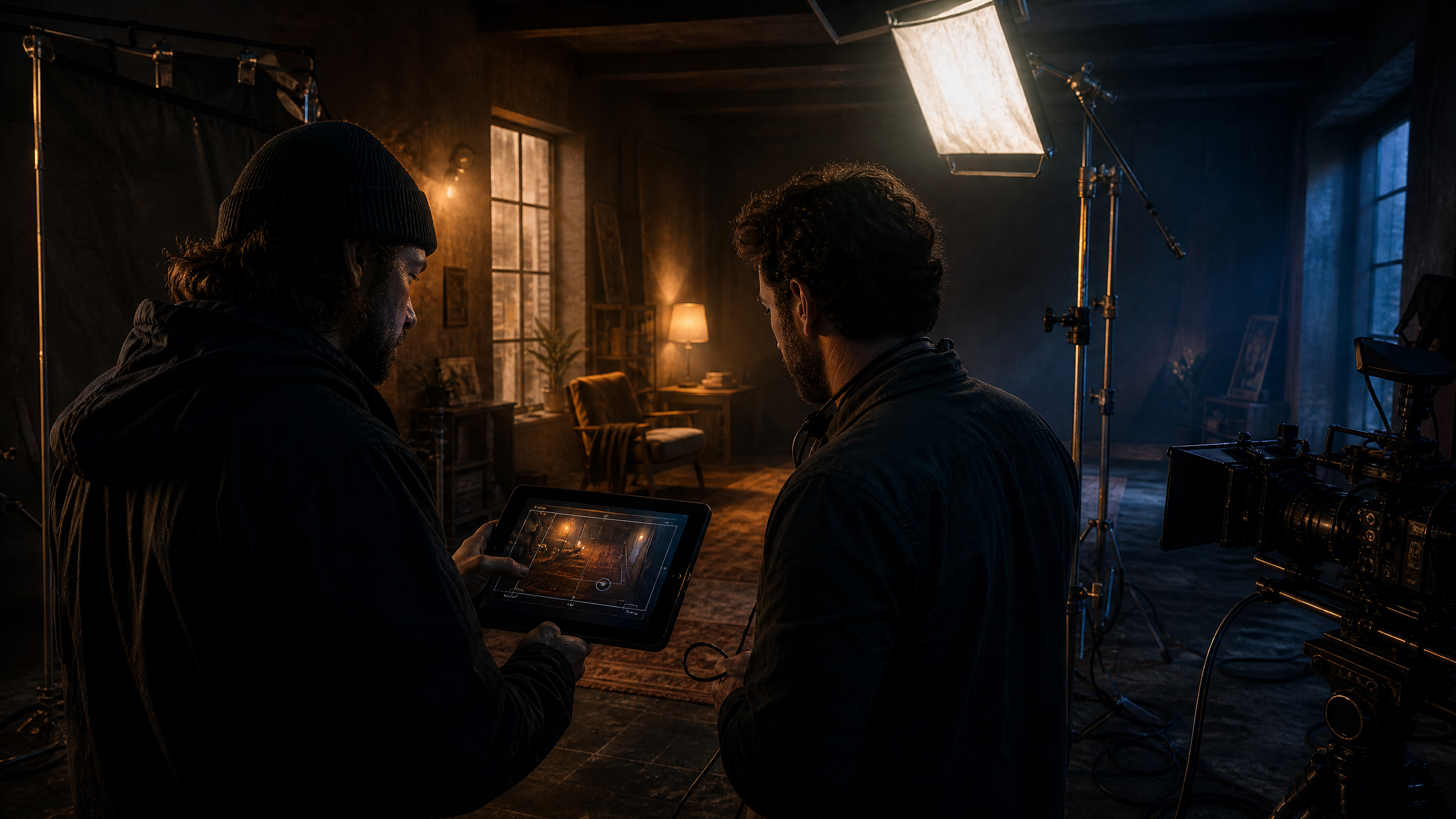
On-set workflow: DP reviewing Set Plan PDF with gaffer while lighting fixtures are rigged to match the digital plan
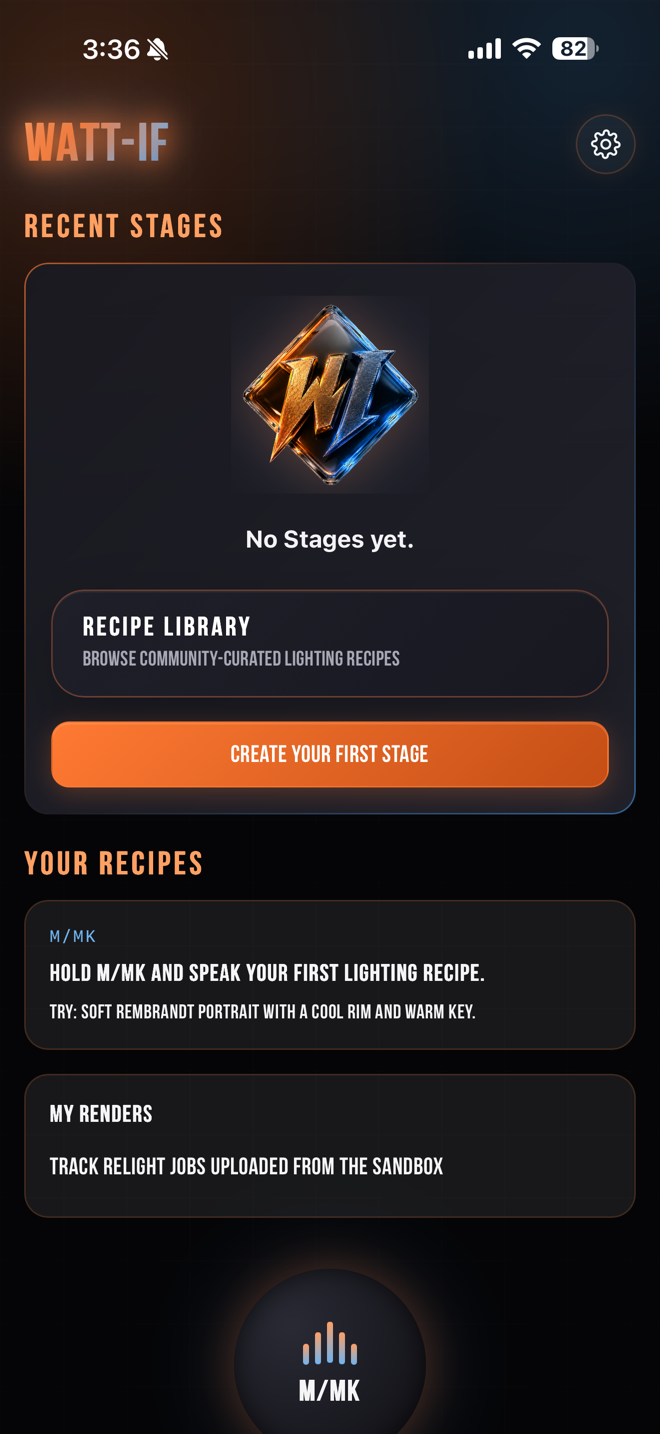
WATT-IF home screen showing M/mk voice assistant prompt for a Soft Rembrandt Portrait

Pricing

Professional plans.

Choose the plan that fits your production volume. Beta access begins immediately upon purchase.

Only 25 seats
Founding Member
$199
/ year
Rate locked for life. Includes every future release at no additional cost.
Join as Founder
WATT-IF is in beta. Founding Member is a pre-purchase: you get immediate TestFlight access, every future release at no additional cost, and your rate locked permanently. Capture currently requires iPhone 12 Pro or later.
Creator
$19
/ month
For independent creators and photographers building repeatable lighting workflows.
Subscribe
Fair use during beta. Includes standard exports.
Pro
$49
/ month
For working filmmakers, DPs, gaffers, and higher-use professionals.
Subscribe
Fair use during beta. Includes all professional exports.
Studio / Team
$99
/ seat / month
For companies, agencies, schools, and shared workflows. 3-seat minimum.
Contact Sales
Team workflows and support terms are scoped with each organization.
Features Creator Pro Founding
Cloud Processing Fair use during beta Fair use during beta Fair use during beta
Set Plan PDF Export Yes Yes Yes
Gear CSV Export - Yes Yes
Digital Twin JSON - Yes Yes
Rate Lock - - Locked for life

The Creator
Joshiua Cole
Joshiua Cole
Creative Director — Filmmaker — WATT-IF Inventor

WATT-IF was built by a Creative Director and filmmaker who got tired of watching talented people waste hours on lighting problems that could be solved in minutes — if the right tool existed. The gap between knowing what a lighting setup should look like and executing it on set was the problem WATT-IF was designed to close.

With a background spanning high-volume content pipelines, broadcast production systems, and cinematic pre-production, WATT-IF is a pre-lighting workflow that speaks the language of light in estimated units, reasons about fixtures from real manufacturers (Aputure, ARRI, ETC Source Four), and lets you scan your actual location and plan the light before you load a single case.

Contact for Licensing

Beta Reality Check

What WATT-IF Does Not Do Yet.

We are building a professional tool, which means being honest about its current limits. Read this before you buy.

1. It is a planning tool, not a relighting tool.

Captured lighting is currently baked into the surface color. You are adding virtual fixtures to the room as it was lit during the scan, not starting from a blank slate. Scan in the flattest, most even light possible.

2. Values are physics-informed estimates.

The lux, exposure, and power budget values are calculated estimates. They are not a replacement for a light meter or a qualified gaffer on the day.

3. Android cannot capture (yet).

Android users can build, edit, and render Stages, and generate Set Plan PDFs. However, capturing a new location requires an iPhone 12 Pro or later with LiDAR.

Capture the location.
Plan the next lighting conversation.

TestFlight beta is free during beta. Capture a compatible location, build a photo-textured spatial reconstruction, explore virtual fixtures, and prepare a crew-facing planning export.

Get the iOS Beta How It Works

iPhone 12 Pro or later (LiDAR required for capture) · iOS 16+ · Android reconstruction capture is planned.